
Soko – Online Shop & POS System
A complete online shop with a point of sale as its admin. Customers pay with M-Pesa or on delivery, track every order step by step and rate what they buy. Online and in-store sales share one stock count.
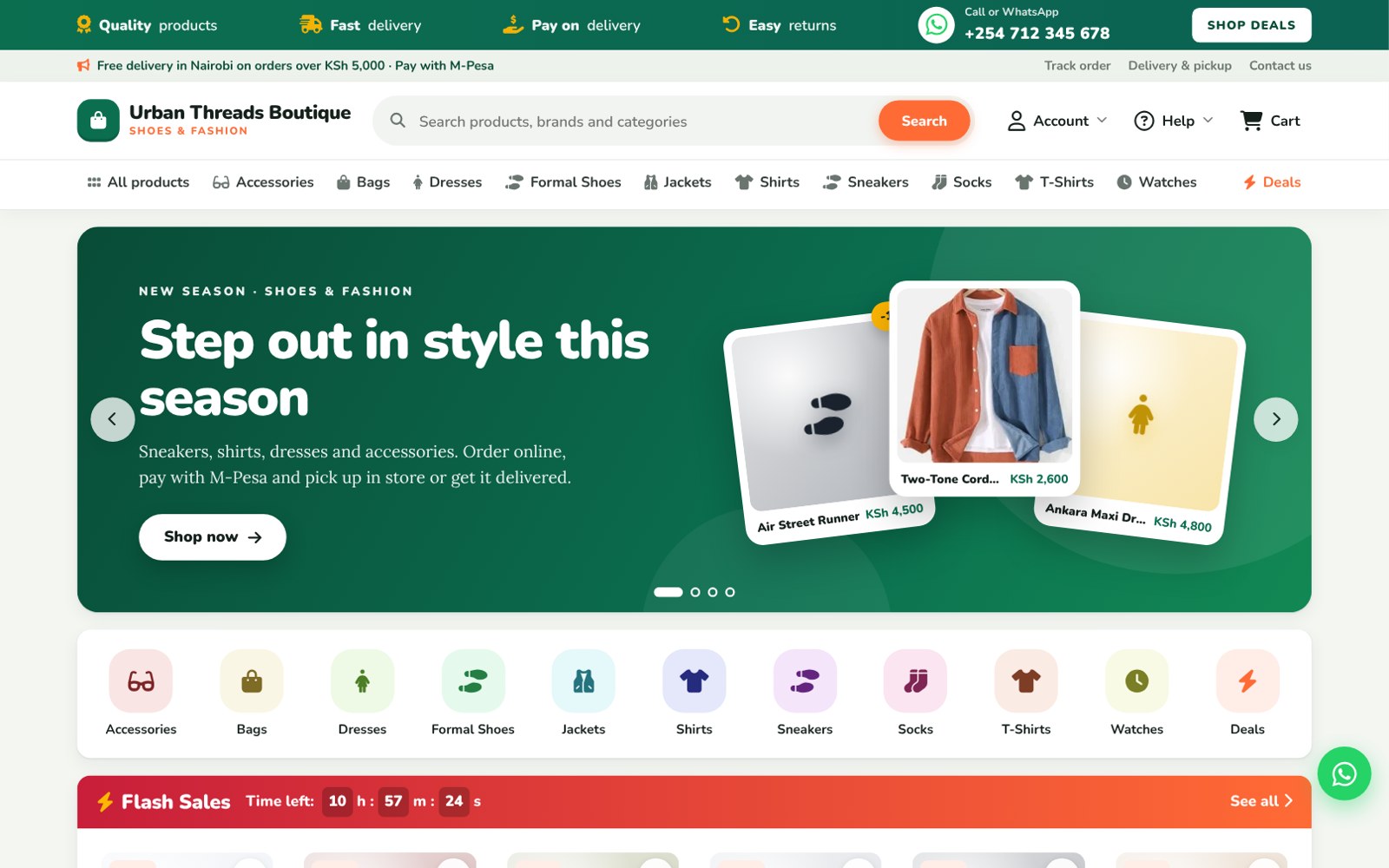
Overview
Soko is a ready-made online shop for one business, built for Kenya. It looks and works like the big online marketplaces your customers already use, but it sells only your products, and the same system runs your shop counter.
The website has a search bar, a category menu, a banner slider, a Flash Sales section with a countdown, top-selling items, new arrivals and recently viewed items. Each product page shows sizes and colours, live stock, delivery fees by area, collection points, the returns policy and verified customer reviews.
Customers can order as guests or create an account. At checkout they pay with an M-Pesa prompt on their phone or pay on delivery, and choose door delivery or a collection point. Every order has its own tracking page. Customers get a message in their account inbox, and an email if they gave one, when the order is packed, on the way, ready for collection and delivered. After delivery they can rate and review each item.
The admin is a full point of sale. Staff sell at the counter with Cash, Card or M-Pesa and print thermal receipts. Online orders arrive in their own page, where staff move each order to its next step. Stock goes down for every sale, online or in store, so nothing is sold twice. The owner sees sales, profit, best sellers, in-store vs online sales, customers and reviews, with separate Owner, Manager and Cashier logins.
Features
- Marketplace-style home page with search, categories and banner slider
- Flash Sales section with a countdown timer
- Top selling items, new arrivals and recently viewed products
- Product pages with sizes, colours, live stock and share buttons
- M-Pesa payment prompt (STK push) or pay on delivery
- Door delivery by area with fees and a free-delivery amount
- Collection points (pickup stations), each with its own fee
- Customer accounts: sign up, sign in, forgot password
- Order tracking page with a full step-by-step history
- Customer inbox messages and emails at every order step
- Verified-buyer ratings and reviews with shop replies
- Saved items (wishlist)
- WhatsApp order and chat buttons
- Point of sale for walk-in customers with thermal receipts
- One shared stock count for the website and the shop counter
- Online orders page: pack, dispatch, ready for collection, mark paid
- Customers page with order history and direct messages
- Reviews page: approve, hide or reply
- Reports: sales, profit, best sellers, in-store vs online
- Owner, Manager and Cashier roles
- Clean URLs, sitemap and Google-friendly product pages
- One-click installer with a sample shop
Installation guide
What you need
- PHP 8.1 or newer with PDO MySQL, cURL, GD, fileinfo and mbstring
- MySQL 5.7+ or MariaDB 10.3+
- cPanel hosting with SSL (free AutoSSL works)
- Optional: M-Pesa Till or Paybill with Daraja API access for payment prompts
- Optional: 58 mm or 80 mm thermal printer for shop receipts
-
1
Upload the files
In cPanel File Manager, upload the ZIP to public_html and extract it. Turn on "Show hidden files" so the hidden settings file is extracted too.
-
2
Create a database
In cPanel MySQL Databases, create a database and a user, then add the user to the database with ALL PRIVILEGES.
-
3
Run the installer
Open yourdomain.com/install/ and enter the database details, your shop name, phone, address and the owner login. Click Install.
-
4
Delete the installer
In File Manager, delete the install folder.
-
5
Log in to the admin
Your shop is live at yourdomain.com. Manage it at yourdomain.com/admin with the owner login you created.
-
6
Set up your shop
In Settings add your logo, phone, delivery areas and fees, collection points, WhatsApp number and returns policy. Then add your categories and products.
-
7
Switch on M-Pesa
In Settings, M-Pesa prompts, enter your Daraja keys. Test in Sandbox first, then switch to Live.
Prefer not to do it yourself? We can install it on your hosting and set up your logo and content for you. Ask for installation help · Full setup guide
Changelog
v1.0.0: Initial release. Online shop with customer accounts, order tracking, inbox messages, verified reviews, saved items and collection points, plus a full point of sale as the admin.
Have a system in mind? Let's draw the blueprint.
Tell us what your business needs. We'll map it out and engineer a web application that fits, or start you off with one of our templates.